Other Song

English Song
Showing posts with label Photoshop. Show all posts

Simple Moon Photo Touch Up

By using a simple photoshop skill by putting the moon photo (front layer) onto the photo that you want to insert the moon, you can actually combining these 2 photo by applying linear dodge (add) to the moon photo.

Below are some sample that I done:
+
 
↓
For this photo, I have tweaked also the contrast of the moon photo.

 +
  ↓

PS: This method of combining only work on the photo with dark background.

Do share this with your friend if you like this! =)

冬至快乐

Photobucket

蜗牛在散步


Photobucket
今天天气不错,蜗牛背着重重的壳去散步……

Photoshop: 复古

来个复古风,昨天看书学的,可是学得不是很像样……


作品

算是张挺满意的作品。


Photoshop: Abstract

A simple image that created by using Photoshop.

My 1st Attempt to draw using Photoshop


I always feel that it's hard to draw using pen tool, but after several practice. I start to get use to it.
The 1st cartoon character that i drew.

Photoshop: Stop LYNAS Save Malaysia

Photoshop: Thin to Fat

Saw a blogger change a fat girl into a slim girl, i used my half pail water photoshop skill change a slim girl into a fat girl. LOL!

孤独小熊


Photobucket


新年e-card

Photo edit

Saw this photo, make me feel wanna come out with another better photo...


Happy New Year in advance! =)

My 1st animated gif

click the picture above to see the animated pic..

Coloring~

Toshiro Hitsugaya


This picture is drawn by me during the holiday before I enter my uni life. 
But it is colored using photoshop today and I spent almost 4 hours doing it. 
Since I don't have scanner at my home, so a photo of my draw is taken 1st using my handphone.
Then saved into my laptop.
After that, draw using pencil tool according to the line, because the line is not clear enough and the color of paper a bit brownish. 
Realise that his face a bit weird?
Haha..
This is because my drawing skill not so good 3 years ago. 
How about now? Even worse..
I already 2 years didn't draw any picture.

Merry Christmas!

Painting Effect

This photo used mask skin, tranform, and painting effect...
Then have some color adjustment on the background..
Overall look nice huh...

My cropping skill

这张照片show的没什么,就是我的 cropping skill。嘻嘻!

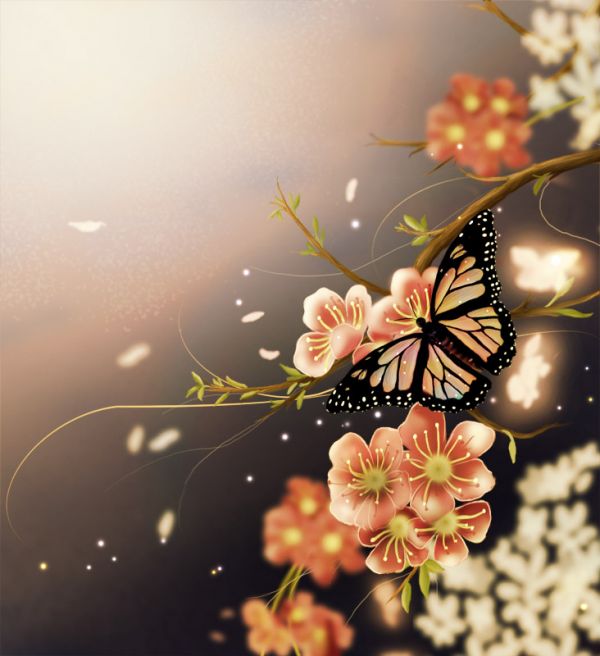
Photoshop Tutorial: How to Make a Beautiful Spring Butterfly Scenery


In this tutorial I will show you the steps I have used for making the Butterfly in the spring image. The main tool we will be using is the soft round brush. All the effect are made by changing the brush size and opacity ,also we will be using lots of layers.

Click here to read more.....
Related Posts Plugin for WordPress, Blogger...
Daisypath Anniversary tickers